Home | Monitorguard - All-in-one Workforce Management System
One place to manage your working day
01

Say Goodbye to Spreadsheets. Keep Everything in Sync.

Give multiple users one shared source of truth. Keep workforce data synced, track every change through a clear audit trail, and stop wondering which spreadsheet is the latest version.

02

Run Your Workforce. From Anywhere.

Whether you're in the office, visiting a site or working remotely, MonitorGuard keeps your people, shifts, locations and activity within reach.

03

Know Who's Working. Without Making the Call.

See attendance and workforce activity without chasing supervisors, ringing sites or waiting for someone to send you an update.

04

Give Your Team Access. Keep Control.

Let multiple users work from the same live system while keeping activity traceable, organised and visible through user access and audit history.

05

Keep Every Site. Within Reach.

Stay connected to mobile and lone workers with safety tools, live reporting and better visibility, wherever the working day takes them.

06

Less Time Updating. More Time Managing.

Bring scheduling, attendance, reporting and workforce visibility together so your team spends less time copying information between systems.

07

Stop Asking What Changed. See the Audit Trail.

See who changed what and when, helping managers keep a clear history of updates and stay confident that everyone is working from current information.

08

Stop Waiting for Updates. See It as It Happens.

See people, shifts and sites while work is happening instead of waiting until the end of the day for calls, messages and paperwork.

One system. Multiple users. One version of the truth.
Scheduling Attendance Tracking Multiple Users Audit Trail Lone Worker Safety Mobile Reporting Real-Time Visibility

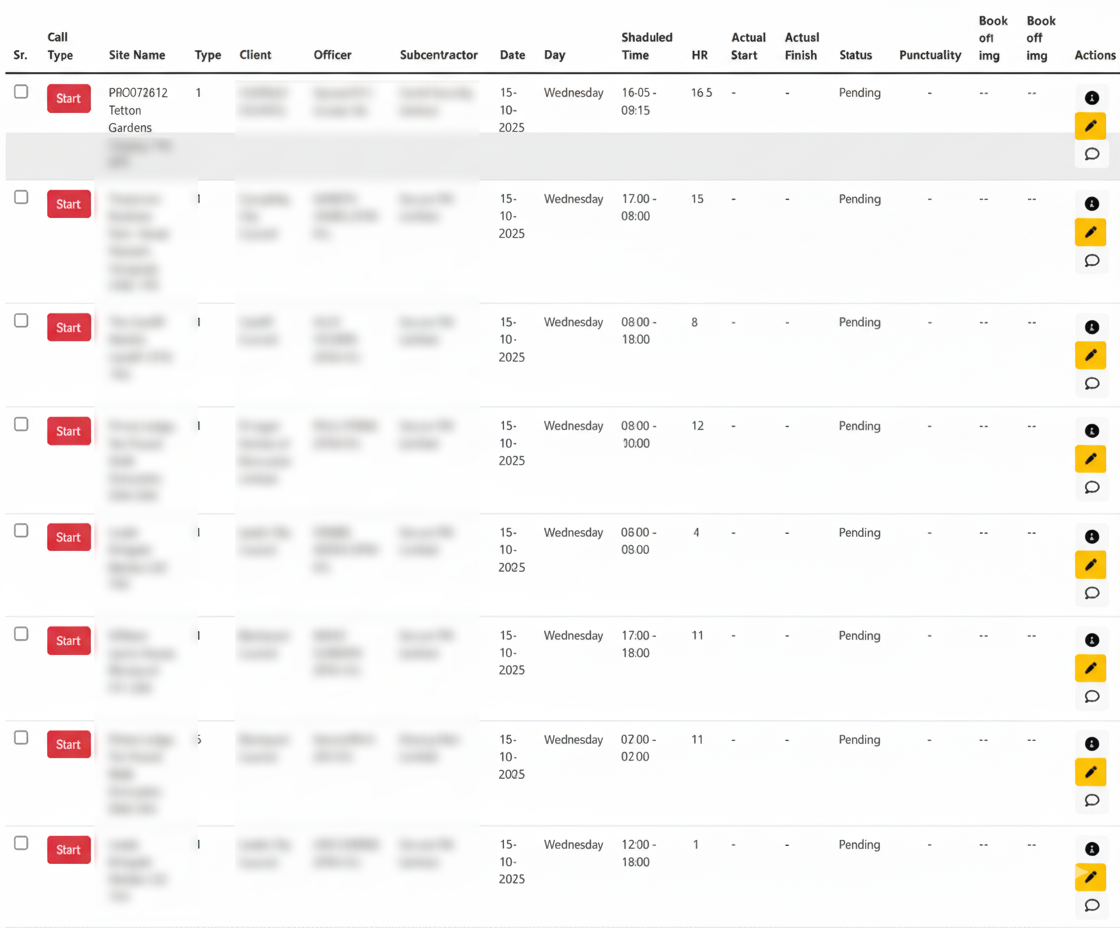
Track Time & Attendance with Precision

Monitorguard gives you a modern, cloud‑powered workforce time and attendance system designed to eliminate manual timesheets, prevent payroll inaccuracies, and provide complete real‑time visibility of your workforce.

Staff clock in/out using GPS, QR codes, NFC checkpoints, or secure selfie verification — ensuring every attendance entry is valid, accurate, and fully compliant.

Whether managing security teams, cleaning staff, subcontractors, or remote employees across multiple sites, Monitorguard automates attendance tracking so you stay fully informed without the administrative workload.

Learn More
Track Time and Attendance
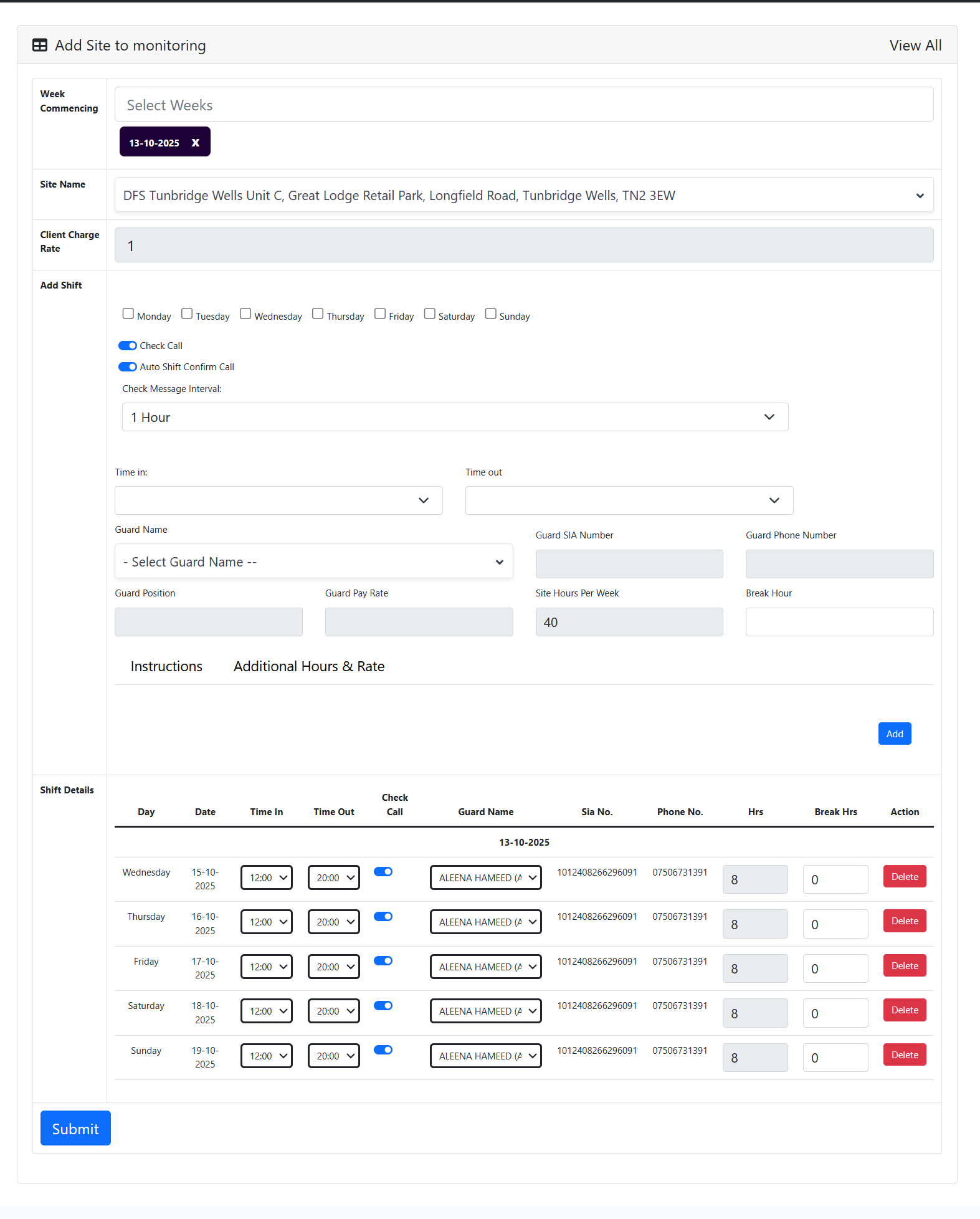
Create Shift

Quickly Create Shifts With Ease

Monitorguard makes shift creation fast, organised and error‑free. Whether you manage 25 staff or 500, our intelligent scheduling tools help you build shifts in seconds while avoiding conflicts, double-bookings, or compliance issues.

Add sites, roles, pay rates, requirements, licences and notes directly into the shift. Once published, staff automatically receive notifications through the mobile app and can accept instantly, ensuring every shift gets filled on time.

Real‑time availability tracking, qualification checks, alerts, and automated reminders ensure you always assign the right person to the right shift — without the administrative headaches.

Book a Demo

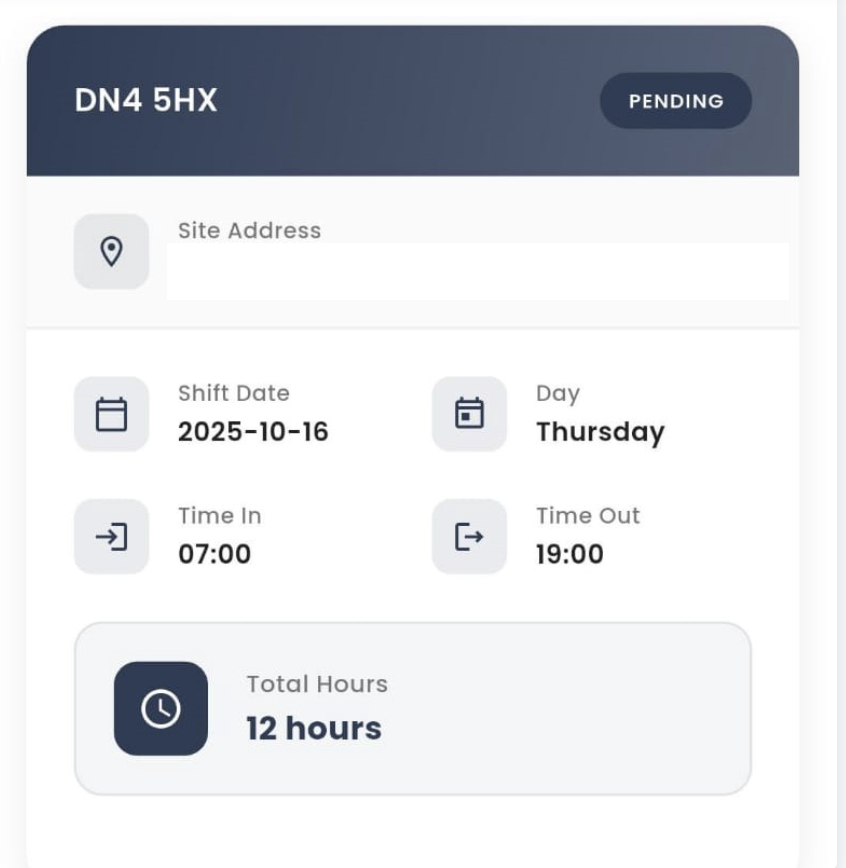
Quickly fill open shifts to ensure full coverage

Monitorguard makes shift coverage effortless by helping managers instantly find available staff, notify workers, and confirm attendance in real time. No more endless phone calls, message chasing, or spreadsheet updates.

With automated notifications, mobile worker responses, and real‑time dashboard visibility, coordinators can fill shifts in minutes — even last‑minute or emergency shifts. Staff receive instant alerts through the app and can accept or decline with one tap.

Monitorguard ensures every site remains fully staffed, compliant, and operational, reducing labour shortages, missed shifts, and costly service failures.

Book a Demo
Create Shift
Accept Shift

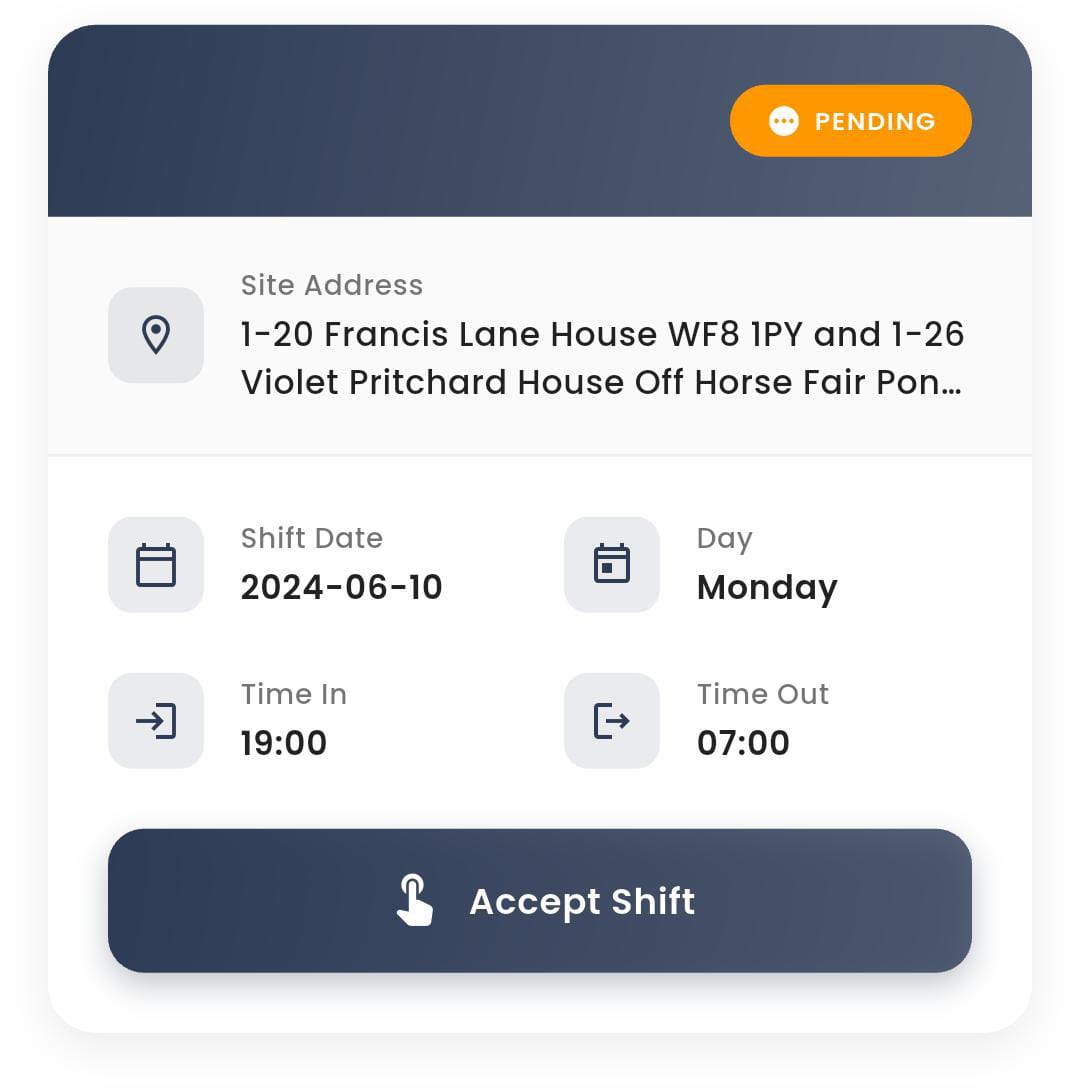
Quickly Accept Shifts

MonitorGuard enables staff to receive, view, and accept shifts instantly through the mobile app. Workers can confirm availability in real‑time, reducing scheduling delays and improving workforce responsiveness.

Managers gain instant visibility over accepted, declined, and pending shifts, helping them fill roles faster and maintain full operational coverage across all sites.

This streamlined shift‑acceptance system significantly reduces admin workload, increases staff accountability, and ensures your business remains organised, compliant, and efficient.

Get Started Today

About MonitorGuard

MonitorGuard.co.uk, powered by Jroxa Technologies LTD, is a next‑generation workforce management platform designed for organisations that rely on accurate attendance, compliance, mobile operations, and real‑time visibility.

Built for security, cleaning, facilities management, event staffing and field-service businesses, MonitorGuard automates scheduling, time & attendance, lone‑worker protection, mobile reporting, invoicing, and compliance tracking — all within a single cloud-based system.

Our mission is simple: give companies complete operational control while reducing admin time, improving staff accountability, and enhancing safety standards. Organisations worldwide trust MonitorGuard to streamline workflows, strengthen compliance, and manage teams from any device.

Get Started Today
MonitorGuard Workforce System
More Than Workforce Scheduling

Control Every Part of Your Operation From One Platform

MonitorGuard gives security, cleaning and facilities management businesses the operational tools needed to control clients, sites, workforce records, incidents, compliance, service quality and management reporting without relying on disconnected spreadsheets, paper records or separate systems.

Security Companies Cleaning Contractors Facilities Management Multi-Site Operations
Client & Site Operations

Keep Every Contract, Client and Site Under Control

MonitorGuard gives your operations team a central location for client and site information. Instead of searching through spreadsheets, shared drives, email chains and paper folders, managers can keep the information required to operate each contract structured within the same workforce platform.

Central Records Keep client and location details together.
Document Control Store essential client and site files.
Site Visibility Organise operations by physical location.
What it gives your team Information available when operations need it.
  • Structured client profiles

    Maintain customer information, contacts, emergency details, addresses and commercial information in one organised record.

  • Central site information

    Keep important location-specific information available to managers without relying on local files.

  • Client and site documents

    Store important documentation in a central location for easier review and management.

Industry impact Practical value for service contractors.
Security Faster site-specific decision making

Operations teams can keep client and site information together, helping supervisors understand the location they are managing and reducing reliance on informal handovers.

Cleaning & FM Standardise service delivery by location

Cleaning contractors operating across multiple customer premises can maintain location records centrally, giving management a clearer structure as contracts expand.

Operational Result Less searching for information, stronger control of every client and every site.
Central Workforce Database

Know More About the People Delivering Your Service

MonitorGuard provides a central staff repository for employee information including contact details, qualifications, skills, training records and employment history. It gives managers a more complete operational picture of the workforce available to the business.

Staff Profiles Central employee information.
Qualifications Record workforce credentials.
Training History Keep development records visible.
One workforce record Replace fragmented employee information.
  • Employee information

    Maintain key staff details in a structured workforce database.

  • Skills and qualifications

    Give management greater visibility over the capabilities recorded against individual employees.

  • Employment history

    Keep a broader record of workforce history rather than depending on separate departmental files.

Industry impact Better control of labour-intensive teams.
Security Understand workforce capability

Security businesses can keep employee qualifications, skills and history available to managers when reviewing workforce suitability.

Cleaning & FM Manage growing workforces more consistently

When teams are spread across customer sites, central employee information can reduce the administrative burden of maintaining separate local workforce records.

Operational Result A more structured workforce database with clearer visibility of your people and their capabilities.
Site Verification

Create a Digital Evidence Trail Across Every Site

MonitorGuard can assign unique QR codes to designated areas within a site. When the QR code is scanned, the system creates a record showing when the scan occurred, where it happened and which worker performed it.

1 Define Areas Reception, car park, toilets or other designated locations.
2 Scan QR The worker scans the checkpoint during the required activity.
3 Record Evidence MonitorGuard records who, where and when.
Proof of activity Move beyond verbal confirmation.
  • Location-specific checkpoints

    Assign QR codes to designated areas within the customer site.

  • Worker attribution

    The resulting record identifies who carried out the scan.

  • Time and location evidence

    Create a clearer record of service activity across key locations.

Industry impact One capability, two powerful use cases.
Security Evidence that patrol points were visited

Checkpoints can help create a digital record that security personnel reached designated patrol areas such as entrances, car parks or other controlled points.

Cleaning & FM Evidence of location-based service activity

Contractors can use designated areas such as washrooms, reception areas and communal spaces to establish a more accountable service trail.

Operational Result Stronger accountability and clearer evidence of activity at customer sites.
Incident Reporting

Turn Individual Incidents Into Operational Intelligence

Rather than leaving incidents buried in emails, paper forms or isolated conversations, MonitorGuard provides an organised way to record workplace incidents and analyse incident categories. This gives management a clearer view of the types of problems occurring across the operation.

Structured Records Keep incidents in one workflow.
Categorisation Understand recurring incident types.
Trend Visibility Use recorded events to identify patterns.
From event to insight Build knowledge from operational history.
  • Central incident recording

    Keep operational incidents within an organised workforce system.

  • Incident category analysis

    Categorisation makes it easier to understand the types of events being encountered.

  • Better operational learning

    Historical incident information can support the review of procedures and targeted workforce training.

Industry impact Make incidents useful after they occur.
Security Understand security threat patterns

Categorised records can help management review recurring events such as theft, vandalism or assault and use that evidence when reviewing procedures or training.

Cleaning & FM Build a clearer record of site issues

Contractors can maintain structured incident records when operational, safety or service-related problems occur, strengthening management visibility.

Operational Result A searchable operational history that can inform better procedures, risk reviews and training.
Service Quality Management

Give Every Complaint a Visible Path to Resolution

MonitorGuard provides a central workflow for complaints raised by clients, employees or other stakeholders. Managers can maintain information such as complaint activity, the reason, register date, resolution time and involved sites, helping prevent important service issues from disappearing into an inbox.

Pending Awaiting review or assignment
Open Currently being addressed
Resolved Successfully addressed and closed
Improve issue management Keep service issues visible.
  • Central complaint register

    Maintain a structured record rather than relying on separate messages or handwritten notes.

  • Status visibility

    Distinguish complaints awaiting attention, being worked on and already resolved.

  • Resolution information

    Maintain information that can help management review complaint handling and service quality.

Industry impact Protect the customer relationship.
Security Demonstrate controlled complaint handling

Security contracts can involve sensitive client concerns. A structured complaint workflow gives management greater visibility over unresolved issues and their eventual outcome.

Cleaning & FM Identify recurring service-quality issues

Cleaning businesses can maintain a clearer record of customer concerns across sites, helping management identify where service standards may require attention.

Operational Result Better visibility of client concerns and a more structured route from complaint to resolution.
Workforce Risk Control

Prevent Restricted Personnel From Returning to the Wrong Site

MonitorGuard includes a banned-staff module for recording individuals who are prohibited from working on particular sites or projects because of safety concerns, disciplinary actions or other operational reasons.

Workforce Record Individual
Restricted Site / project
Strengthen workforce controls Keep restrictions visible to management.
  • Record restricted individuals

    Maintain visibility when a person should not work on a designated contract or location.

  • Site-specific restrictions

    Keep the restriction connected to the relevant site or project.

  • Stronger operational awareness

    Reduce the risk of critical workforce restrictions being communicated only through memory or informal messages.

Industry impact Protect customer locations and contracts.
Security Reduce site-access risk

For sensitive security contracts, maintaining a record of personnel who should not return to particular sites can strengthen operational control.

Cleaning & FM Respect client-specific restrictions

Where a customer has restricted a worker from a particular property, centralising that information helps reduce the chance of accidental redeployment.

Operational Result Greater control over who is permitted to work on sensitive customer sites.
Extended Workforce Control

Manage Sub-Contractors With the Same Discipline as Your Own Workforce

MonitorGuard can act as a central repository for sub-contractor company details, contacts, qualifications, certifications and compliance documents. It can also keep information around assignments, performance, on-site attendance, incidents and non-compliance records.

Company Details & contacts
Qualifications Skills & certification
Compliance Document records
Performance Operational history
Control the extended workforce Keep third-party information organised.
  • Contractor company records

    Centralise business information and key contacts.

  • Qualification and certification data

    Keep important workforce suitability information connected to the sub-contractor record.

  • Compliance and operational history

    Maintain broader visibility across performance, incidents and recorded non-compliance.

Industry impact Control labour beyond direct employees.
Security Maintain oversight of subcontracted guarding

Where third-party providers support security contracts, a central record can give management greater visibility over the organisations and personnel involved.

Cleaning & FM Manage specialist or overflow contractors

Cleaning and FM businesses can maintain information around outsourced suppliers, specialist teams and compliance records without creating a disconnected process.

Operational Result More consistent control of employees and third-party labour within the same operating environment.
Management Intelligence

Turn Everyday Workforce Activity Into Management Insight

MonitorGuard's reporting capability gives management a more structured way to understand workforce operations. The platform guide includes reporting around client hours, incidents and workforce management, helping businesses move from raw operational data toward more informed decision-making.

Management Visibility See patterns that spreadsheets can hide.
Use your operational data Make management information easier to review.
  • Client-hours visibility

    Review recorded service hours by client over selected time periods.

  • Incident analysis

    Review incident categories and use operational history to identify trends.

  • Workforce reporting

    Bring workforce information into a more structured management reporting environment.

Industry impact Make service operations measurable.
Security Review threats, coverage and client activity

Management can use operational reports to build a clearer picture of service activity and incident patterns across contracts.

Cleaning & FM Understand service volume by client

Client-hours reporting can help managers understand service volume and support commercial review of labour-intensive contracts.

Operational Result Stronger management decisions backed by structured workforce and operational information.
Accountability & Security

Know What Happened, Who Accessed the System and When

MonitorGuard includes activity logging and user login history designed to strengthen operational accountability. The activity log provides an audit trail of system use, while login history can record login times, IP addresses and failed attempts to help identify potentially suspicious access.

09:14 User activity recorded Audit trail maintained
10:26 Login information Access details visible
11:08 Failed attempt Potential access issue highlighted
Build accountability into the platform Maintain a clearer history of system use.
  • User activity audit trail

    Track system activity to support security, compliance and management accountability.

  • Login history

    Maintain visibility over login events including times and recorded IP information.

  • Failed login visibility

    Review failed access attempts that could indicate an account-security issue.

Industry impact Protect sensitive operational information.
Security Support a stronger security culture

Security providers handle operational and workforce information that should remain controlled. Audit history increases visibility of how the system is being used.

Cleaning & FM Improve accountability across management teams

Businesses with multiple supervisors and administrators gain a clearer history of system access and activity instead of operating with limited audit visibility.

Operational Result Greater accountability, stronger access visibility and a clearer audit trail for management.

What Teams Say About MonitorGuard

Real feedback from security and cleaning operators using one platform for scheduling, attendance, reporting and payroll.

Workforce Management Time & Attendance
Sarah Johnson

Operations Manager, Security Guarding

“MonitorGuard replaced our spreadsheets and WhatsApp chaos. Drag‑and‑drop scheduling is quick, and GPS clock‑ins mean we can prove coverage, reduce no‑shows, and stop paying for hours not worked.”

Scheduling GPS Time Clock Live Visibility
David Conway

Control Room Lead, Multi‑Site Security

“The incident reporting and supervisor updates are a game‑changer. We get real‑time visibility, faster escalation, and cleaner client reporting. It’s improved accountability across every post.”

Incidents Client Reports Comms
Emily Simmonds

Contracts Supervisor, Cleaning Services

“We manage cleaners across multiple sites. MonitorGuard gives us digital checklists, photo proof, and automatic timesheets. Disputes dropped, invoicing is quicker, and standards are consistent.”

Task Checklists Timesheets Quality Control
See How MonitorGuard Fits Your Operation

Book a Personalised Demo

Tell us what you want to improve and we will tailor the demo around your operational priorities.

What to expect

A demo built around your business

We focus on the areas most relevant to your security, cleaning or facilities management operation.

Choose a suitable time

Tell us the date and time that works best for your team.

Focus on your goals

Tell us what you want to improve so we can tailor the session.

Bring your operations team

Invite managers, schedulers or decision-makers.

Email info@monitorguard.co.uk
Availability Mon-Fri, 9:00 AM - 6:00 PM
Demo Request

Tell us what you would like to achieve

The more context you provide, the more relevant we can make your MonitorGuard demonstration.

Include your preferred demo date/time and the outcome you want to achieve.